
Cloud Waste Management: How CloudScore Finds Hidden Waste Across AWS, Azure & GCP
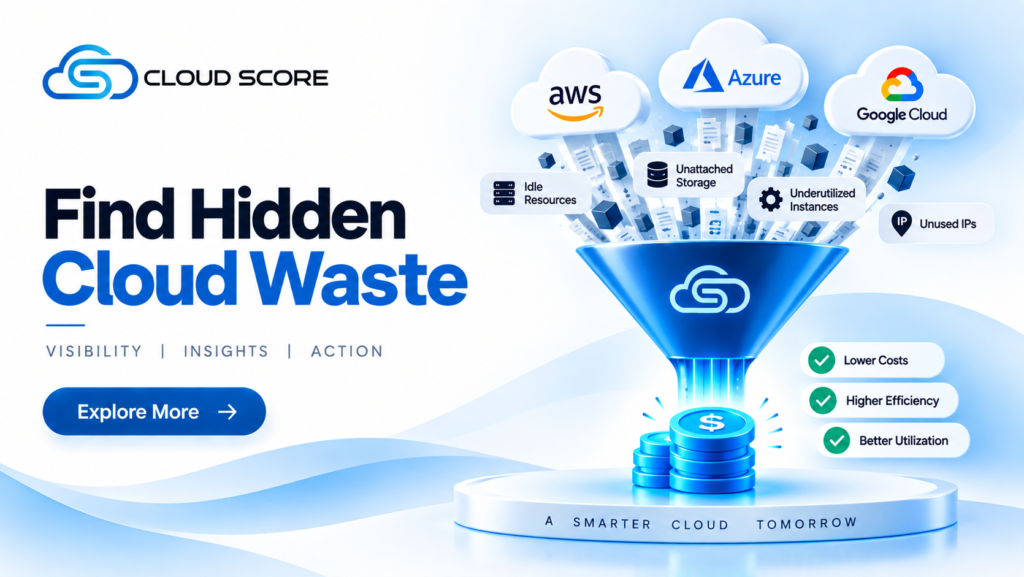
Your cloud bill increased. You know the number. But can you quickly answer what changed, where it changed, what is driving it, and whether it requires action? That is where cloud cost management becomes challenging. As cloud environments grow across AWS, Azure, GCP, and other providers, spending can become distributed across services, resources, regions, and workloads. Each cloud provider offers detailed cost and usage information, but connecting that information to the resources and workloads driving the spend can require significant time and effort. CloudScore brings that connection together in one SaaS platform. With Multi-Cloud Visibility, Cloud Economics, Resource & Usage Insights, AI-Driven Optimization Recommendations, Automated Remediation, DEX Bot, and LLMOps, CloudScore helps organizations understand where their cloud spend is going, uncover the factors driving it, identify actionable optimization opportunities, and automate the remediation of detected waste. From visibility and investigation to intelligent recommendations and automated action, CloudScore enables teams to continuously optimize cloud costs, resource utilization, and AI workloads. Your Cloud Bill Is Only the Starting Point A higher cloud bill does not automatically mean waste. Your organization may be handling more traffic. A workload may genuinely require additional capacity. New services may be supporting new business requirements. The more difficult cases are the ones that are less obvious. A resource may be provisioned with more capacity than its workload requires. Usage may remain consistently low while costs continue. Spending may increase across multiple services, making the underlying cause difficult to identify. That is why an invoice alone is not enough. The real opportunity is connecting cost with usage, resources, workloads, and the context behind the spend. That is where CloudScore starts. One View Across Your Cloud Environment Multi-Cloud Visibility CloudScore brings cloud spending across AWS, Azure, GCP, and OCI into one platform. Instead of collecting information from separate provider dashboards and manually building a consolidated view, teams can start with a unified picture of their cloud environment. CloudScore helps teams understand: Spending by cloud provider Spending by service Changes and trends over time Resource information Usage information Areas that may require further investigation For organizations operating across multiple cloud environments, this creates a simpler starting point: One view. Multiple clouds. A clearer path to investigation. Discover What’s Driving Changes in Cloud Spend Cloud Economics Knowing how much you spend is only the beginning. The real value comes from understanding where your cloud costs are increasing or decreasing, what is driving those changes, and whether they require action. CloudScore’s Cloud Economics capabilities provide a consolidated view of cost trends and spending patterns across your cloud environment. This helps teams quickly identify significant changes, drill into the areas behind them, and determine whether further investigation is needed. The journey is simple: Spending Changes → Identify the Trend → Pinpoint the Area → Investigate the Resources → Understand the Cause Not every increase in cost represents waste. It could be driven by business growth, increased workload demand, or additional infrastructure requirements. In other cases, it may reveal an opportunity to optimize. CloudScore provides the context teams need to understand the difference, prioritize the right opportunities, and make informed decisions. Follow the Spend to the Resource Resource & Usage Insights A service-level cost tells you where money is being spent. The next question is: Which resources are driving that spend? CloudScore helps teams move from high-level cost information into resource and usage details, making it easier to investigate what is behind the numbers. The analysis can follow a simple path: Provider → Service → Resource → Usage → Cost This gives FinOps and engineering teams a practical way to investigate spending rather than stopping at the top-level bill. It also makes optimization conversations more precise by connecting financial information with the technical resources and usage patterns behind it. Identify Underutilized Capacity Utilization Analysis A resource can be active and still have more capacity than its workload requires. CloudScore helps teams identify utilization patterns that may deserve a closer look, allowing them to evaluate whether the capacity provisioned is aligned with actual workload requirements. Importantly, low utilization does not automatically mean a resource should be removed or changed. Instead, CloudScore provides the context needed to evaluate the situation. The question becomes: Does this resource still need the capacity we are paying for? That is a more useful starting point for cloud optimization than simply looking for the highest-cost resources. Right-Size Based on Real Usage Align Capacity With Workload Right-sizing is not simply about making infrastructure smaller. It is about aligning provisioned capacity with actual workload requirements. CloudScore brings usage, capacity, and cost information together to help teams evaluate potential right-sizing opportunities. Teams can compare: Actual Usage ↔ Provisioned Capacity ↔ Cloud Spend This gives FinOps and engineering teams a stronger basis for determining whether a resource configuration should be reviewed. The objective is not to reduce infrastructure at any cost. The objective is to make capacity better match the work it supports. Find the Opportunities Worth Reviewing AI-Driven Optimization Recommendations Large cloud environments can contain thousands of resources. Manually reviewing each one is neither practical nor efficient. CloudScore uses AI-Driven Optimization Recommendations to help surface opportunities that may deserve attention. Rather than starting with an overwhelming list of resources, teams can start with recommendations based on cloud cost, resource, and usage information. The workflow becomes: Identify → Review → Validate → Act This helps reduce the manual effort involved in discovering potential optimization opportunities while keeping teams in control of the final decision. The goal is not to automate every decision. The goal is to help teams focus their attention on the opportunities that matter most. Turn Recommendations Into Action Automated Remediation Identifying waste is only part of the optimization process. The next challenge is turning validated opportunities into action. CloudScore’s Automated Remediation capabilities help organizations move from identified optimization opportunities toward remediation, reducing the manual effort involved in addressing detected waste. The workflow can move from: Detect → Recommend → Validate → Remediate → Monitor This creates a more continuous approach to