
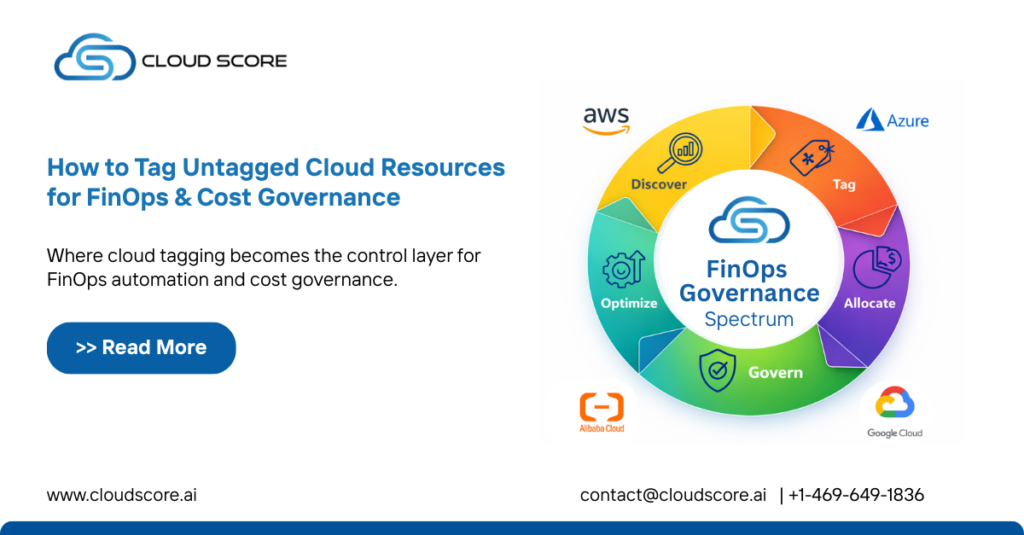
In modern cloud environments, untagged cloud resources are one of the biggest hidden blockers to effective FinOps and cost governance. When resources lack proper tags, organizations lose visibility into who owns what, why it exists and how much value it delivers. The result? Budget overruns, weak accountability, and governance gaps across multi-cloud environments.
This guide explains how to tag untagged cloud resources, why they break FinOps, and how to build a scalable, automated tagging strategy that supports cost optimization, accountability and governance.
Why Untagged Cloud Resources Are a FinOps Problem
FinOps is built on visibility, ownership, and accountability. Untagged resources undermine all three.
When resources are not tagged:
- Cloud spend cannot be accurately allocated to teams or projects
- Finance teams struggle with showback and chargeback
- Engineering teams lose cost accountability
- Governance and compliance audits become manual and error-prone
In FinOps maturity models, resource tagging is a foundational requirement, not an optional best practice.
What Are Cloud Resource Tags?
Cloud resource tags are key–value metadata labels attached to infrastructure components such as:
- Virtual machines
- Storage buckets
- Databases
- Kubernetes clusters
- Serverless services
Common tag examples include:
- Environment: Production
- Owner: Platform-Team
- Cost Center: CC-1024
- Application: Billing-Service
These tags enable cost attribution, policy enforcement, automation, and reporting.
The Real Cost of Untagged Resources
Untagged resources typically fall into three categories:
- Orphaned resources – created for testing and never deleted
- Shadow IT workloads – launched outside governance workflows
- Legacy assets – older resources created before tagging standards existed
Together, they often account for 20-30% of wasted cloud spend in large organizations.
Step-by-Step: How to Tag Untagged Cloud Resources
1. Discover Untagged Resources Across Clouds
Start by identifying resources missing mandatory tags across:
- Amazon Web Services
- Microsoft Azure
- Google Cloud
- Alibaba Cloud
Use:
- Native cloud inventory tools
- Cost and usage reports
- FinOps platforms with tagging audits
Focus on high-cost services first (compute, databases, storage).
2. Define a Standard Tagging Taxonomy
A strong tagging strategy balances simplicity and governance.
Recommended sample tags for FinOps:
- Environment
- Owner
- Team / Department
- Cost Center
- Application / Service
- Business Unit
Avoid over-tagging. More tags ≠ better governance.
3. Apply Tags Without Breaking Production
When tagging live workloads:
- Avoid restarting critical services
- Prioritize non-disruptive tag updates
- Validate permissions before bulk actions
Most cloud platforms allow in-place tagging without downtime.
4. Automate Tag Remediation
Manual tagging does not scale.
Use:
- Tag enforcement policies
- Infrastructure-as-Code (Terraform, ARM, CloudFormation)
- Event-driven automation to auto-tag new resources
Automation ensures every new resource is tagged at creation, not after the cost shows up.
5. Block Untagged Resource Creation
The most effective FinOps control is prevention.
Implement policies that:
- Deny resource creation without mandatory tags
- Warn developers during deployment
- Auto-assign default tags when possible
This shifts FinOps from reactive cleanup to proactive governance.
How Tagging Powers FinOps Outcomes
Once tagging is enforced, organizations unlock:
Accurate Cost Allocation
- Team-level and application-level spend visibility
- Reliable showback and chargeback models
Smarter Optimization
- Identify unused or oversized resources by owner
- Align optimization actions with accountable teams
Stronger Governance & Compliance
- Audit-ready cloud environments
- Clear ownership for security and policy enforcement
Common Tagging Mistakes to Avoid
- Allowing free-text tag values
- Relying only on manual tagging
- No enforcement policies
- Inconsistent tag naming across clouds
- Ignoring legacy resources
FinOps success depends on consistency and automation, not best-effort tagging.
FinOps Best Practice: From Tags to Intelligence
Tagging is not the end goal, it is the foundation.
Advanced FinOps teams use tags to power:
- Automated anomaly detection
- AI-driven cost optimization
- Predictive forecasting
- Governance dashboards
Without clean tagging, none of these capabilities work reliably.
Outcome
Untagged cloud resources silently drain budgets and weaken governance. CloudScore discovers untagged assets, standardizes tags, automates enforcement, and blocks violations turning tagging from an operational chore into a strategic FinOps control.
If FinOps is about aligning cloud spend with business value, CloudScore ensures that value is measured.
Turn cloud chaos into controlled, accountable spend with CloudScore’s automated FinOps tagging and governance.
 Request a Demo | Start Your Free Trial | Contact Our Experts
See More Blogs: Best Cloud Governance Solutions | SecOps & FinOps Cloud Governance | AI-Driven FinOps | AI Cloud Cost Optimization | Smart Cost Management | Simplify Cloud Costs | Automated FinOps Platform | Multi-Cloud Spend | Cost Efficiency | Cloud Security | Dynamic Optimization | Seasonality Insights | Cloud Governance | Sustainability Reporting | Cloud Infrastructure | Predictive Analytics | Integrating FinOps | Forecasting | Automated Cost Management | Cloud Cost Optimization