
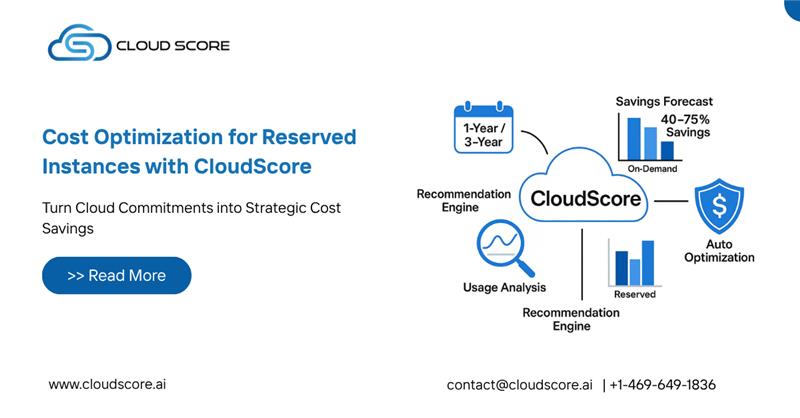
Reserved instances are one of the easiest ways to cut cloud costs, and CloudScore helps you pick the right ones.
Understanding Reserved Instances
You commit to a server type for one or three years and pay 30% to 75% less, which suits steady workloads.
However, the challenge lies in identifying which instances to reserve and how to balance the commitment with the dynamic nature of cloud workloads. This is where CloudScore comes into play.
How CloudScore Facilitates Cost Optimization
Here’s how CloudScore helps you choose the right reserved instances:
- Analyzing Past Usage Data
CloudScore starts by collecting and analyzing historical usage data across your cloud environments. This data includes metrics such as CPU and memory utilization, instance uptime, and usage patterns over time. By examining this data, CloudScore can identify instances that are consistently used and those that are underutilized.
- Identifying Suitable Instances for Reservation
Next, it picks the best servers to reserve based on type, region and how steady their usage is.
- Providing Detailed Cost-Benefit Analysis
For each one, it shows the savings, when you break even and the impact over the full term.
- Implementing Reserved Instances
Then you reserve them, with step-by-step guidance from CloudScore for each major cloud provider.
- Monitoring and Adjusting Reservations
After that, CloudScore keeps watching usage and alerts you when reservations need adjusting.
Real-World Example: A Case Study
Example: a mid-sized online store with changing traffic and rising on-demand cloud bills.
Step 1: Data Analysis
CloudScore analyzed the company’s cloud usage data over the past year, identifying several instance types that were consistently utilized, particularly during peak shopping seasons.
Step 2: Recommendation
Based on the analysis, CloudScore recommended reserving a mix of general-purpose and compute-optimized instances in the regions where the company had the highest traffic. The platform projected potential savings of 45% compared to the current on-demand pricing.
Step 3: Implementation
With CloudScore’s guidance, the company reserved the recommended instances for a term of three years. The reservation process was straightforward, thanks to the platform’s clear instructions.
Step 4: Continuous Monitoring
CloudScore continued to monitor the usage of the reserved instances, providing monthly reports on cost savings and utilization. The company was able to adjust its reservations based on real-time data, ensuring optimal resource allocation and cost efficiency.
Outcome
Within the first year, the company cut its cloud spend by over 40% and gained predictable budgets.
Reserved instances save money, and CloudScore makes them easy to choose, buy and keep right.
Ready to maximize your cloud savings with reserved instances?
Discover how CloudScore can help you optimize your cloud costs effortlessly.
Get started with CloudScore today and unlock powerful insights for smarter cloud spending!
Request a Demo | Start Your Free Trial | Contact Our Experts
👉See more Blogs Automated Cost Management